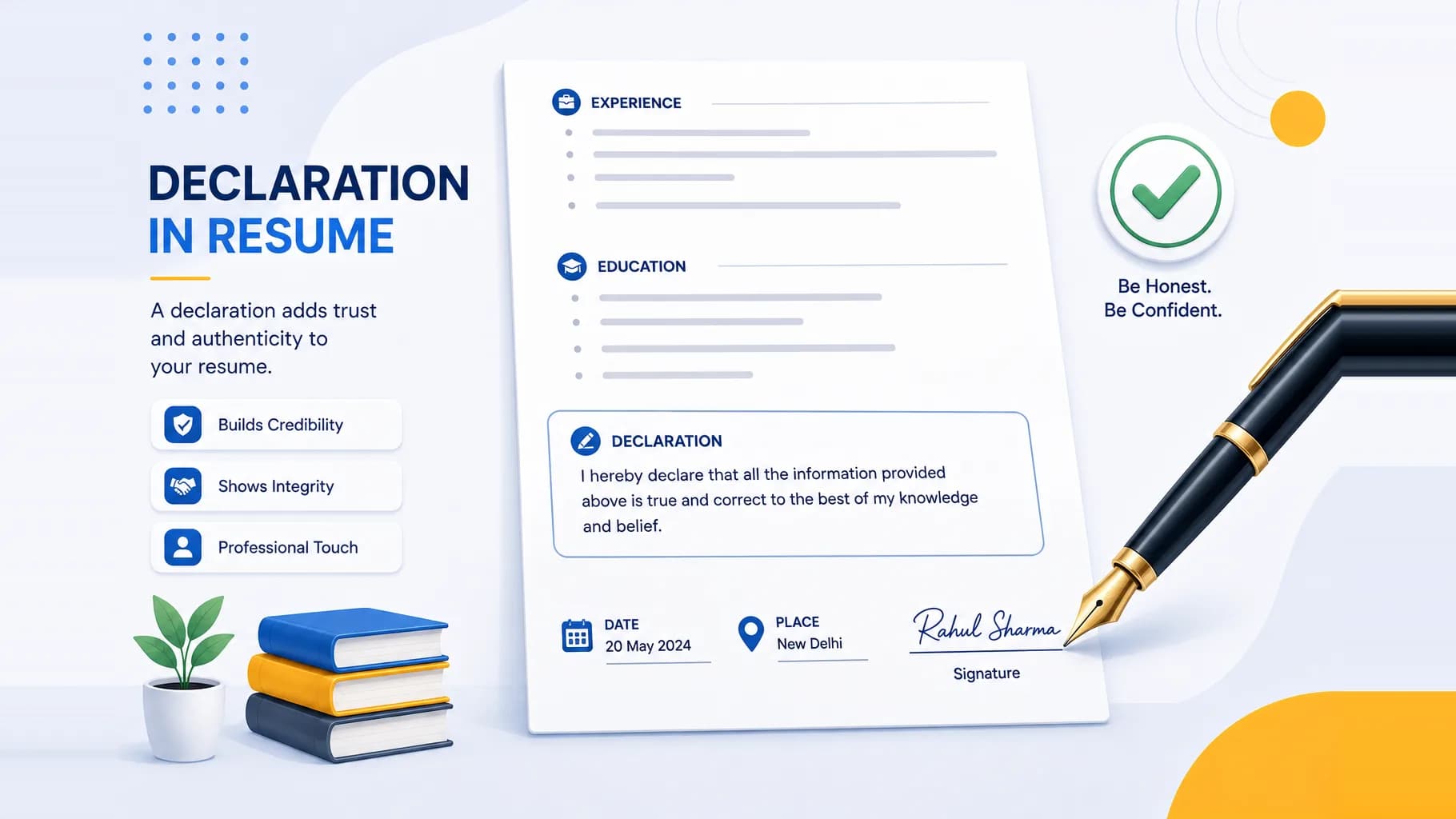
A declaration in a resume is the short closing statement where you certify that everything written above is true to the best of your knowledge. If you have studied or worked in India, you have almost certainly seen it, that one line at the very bottom, usually followed by a place, a date, and a signature. In this guide you will get a clear definition, an honest answer on whether the declaration in resume is still necessary in 2026, exact placement and format rules, and more than 25 copy-ready examples for freshers, experienced professionals, government jobs, and specific fields.
Here is the part most articles skip: the declaration line is largely an Indian convention, and modern recruiters and applicant tracking systems do not require it. So this guide will not just hand you templates, it will tell you exactly when the line helps, when it is harmless, and when the space is better spent on your actual skills.
What Is a Declaration in a Resume?
A resume declaration is a formal sentence in which you affirm that the personal, academic, and professional details in your document are accurate and honest. It is a statement of accountability. In effect you are saying, "I stand behind what I have written, and I am willing to back it up with proof if asked."
A typical declaration reads like this:
I hereby declare that the information furnished above is true to the best of my knowledge and belief.
The line usually sits at the very end of the resume, often accompanied by three small details:
- The place (your city)
- The date
- Your signature and full name
The declaration has deep roots in Indian hiring culture. Government forms, public sector applications, academic institutions, and older corporate processes have long expected a signed statement of truth. That expectation carried over into resumes, which is why the declaration line remains so common on Indian CVs even though it appears rarely on resumes from the US, UK, or Australia.
Is a Declaration in a Resume Necessary in 2026? (The Honest Answer)
Short answer: it is optional, not mandatory. There is no employment law in India that requires a declaration on your resume, and no ATS scores you higher for including one.
The modern recruiting view is clear. A resume is understood to be your own claim about yourself. Recruiters already assume you are asserting the truth, so a sentence that repeats "this is true" adds little new information. Global resume standards, and the applicant tracking systems that parse resumes at scale, simply do not look for a declaration. The space at the bottom of your resume is prime real estate, and a generic truth statement is rarely the best use of it.
That said, the declaration is not wrong. It is a mild convention, not a mistake. There are still situations where including it is smart, and situations where dropping it is smarter.
When you should include a declaration
- Government and public sector jobs. PSUs, defence, railways, police, and state or central government roles often run traditional, form-based processes that expect a signed declaration.
- Academic, research, and medical roles. Universities, hospitals, and research institutions tend to follow formal documentation norms.
- Roles that require a printed, signed application. If you are handing over a physical copy or a scanned signed form, a declaration with a signature fits the format.
- Conservative or legacy organisations. Some established Indian companies, banks, and family-run firms still expect the line, and a recruiter there may read its absence as sloppiness.
- When an application form explicitly asks for it. If the instructions say "sign the declaration," you include it.
When you can safely skip it
- Private sector, startup, tech, and MNC roles. Modern recruiters do not expect it, and its absence is never held against you.
- ATS-heavy applications. When your resume is parsed by software before a human sees it, the declaration adds nothing scannable.
- One-page resumes where space is tight. A skill, a metric, or a project line will always outperform a truth statement.
- International applications. Recruiters in the US, UK, Canada, and Australia will find the declaration unusual and slightly dated.
A good rule of thumb: if you are unsure, and you are applying to private companies, leave it out and use the space for something that sells you. If you are applying to government or formal institutions, keep it. A tool like the Goodspace AI Resume Builder lets you toggle the declaration on or off per version, so you can keep a formal copy and a modern copy without rewriting your resume from scratch.
Where to Place a Declaration and How to Format It
Placement
The declaration almost always goes at the very bottom of the resume, after every other section, including education, experience, projects, skills, and references. It is the final element on the page. Placing it anywhere else, for example in the middle of the document, looks out of order and distracts from your qualifications.
The signature, date, and place format
When the declaration includes a signature block, the standard Indian layout puts the location details on the left and the signature on the right:
Declaration:
I hereby declare that the information furnished above is
true to the best of my knowledge and belief.

Place: Bengaluru                        (Signature)
Date: 31 July 2026                      Ananya Sharma
Formatting rules that keep it clean:
- Place is your current city.
- Date is written clearly, for example 31 July 2026 or 31/07/2026.
- Signature applies to printed or scanned resumes. For a digital PDF you often keep just the typed name, or drop the signature entirely.
- Keep the statement to one or two lines. A declaration is never a paragraph.
- Match the font, size, and colour to the rest of your resume so it does not stand out awkwardly.
If your resume is being submitted purely online through a portal or email, you do not need a handwritten signature. A typed name is enough, and many people omit even that. See the "Declaration without signature" examples below.
25+ Copy-Ready Declaration Examples
Pick one that matches your situation, then adjust the name, place, and date. Do not stack multiple declarations, one is all you need.
Standard declarations
These are safe, neutral, and work for almost any role.
-
I hereby declare that the information furnished above is true to the best of my knowledge and belief.
-
I hereby declare that the details and information given above are complete and true to the best of my knowledge.
-
I hereby declare that all the information provided in this resume is true and correct to the best of my knowledge.
-
I hereby declare that the above-mentioned information is accurate to the best of my knowledge and belief.
-
All the information mentioned above is true and correct to the best of my knowledge and belief.
Formal declarations
Use these for government, academic, or highly traditional applications where a more solemn tone fits.
-
I solemnly declare that the particulars of facts and information stated above are true, correct, and complete to the best of my knowledge and belief.
-
I hereby declare that all the details mentioned above are in accordance with the truth and fact to the best of my knowledge, and I hold responsibility for the correctness of the said particulars.
-
I do hereby solemnly affirm that the information furnished in this document is genuine and accurate to the best of my knowledge, and I am willing to furnish supporting proof if required.
-
I hereby certify that the statements made in this resume are true, complete, and correct to the best of my knowledge and belief, and I understand that any misrepresentation may lead to disqualification.
-
I affirm that the academic, personal, and professional information stated above is authentic and verifiable to the best of my knowledge.
Short declarations
When space is tight and you still want the line, keep it crisp.
-
I declare that the information above is true to the best of my knowledge.
-
All details above are true and correct to the best of my knowledge.
-
The information provided here is accurate and complete.
-
I confirm that the details stated above are genuine.
Declarations for freshers
For freshers with limited experience, a declaration can gently reinforce honesty around academics and internships.
-
I hereby declare that the academic details, skills, and internship information mentioned in this resume are correct to the best of my knowledge.
-
I hereby declare that the information shared in this resume is true and written in good faith based on my knowledge.
-
I certify that all the educational qualifications and personal details stated above are true and accurate to the best of my knowledge and belief.
-
I hereby declare that the particulars given above are genuine, and I take full responsibility for their correctness.
Declarations for experienced professionals
For experienced candidates, tie the statement to your work history and records.
-
I hereby confirm that the work history, achievements, and timelines mentioned in this CV are true based on my knowledge and professional records.
-
I sincerely declare that the roles, responsibilities, project outcomes, and career timelines listed in this resume are accurate to the best of my knowledge.
-
I hereby declare that the professional experience, designations, and accomplishments stated above are true and verifiable to the best of my knowledge.
-
I affirm that all employment details and career information provided in this document are accurate and can be substantiated with documentation if required.
Declarations for government jobs
Government and PSU applications favour formal, responsibility-bearing language.
-
I hereby solemnly declare that all the information furnished above is true, complete, and correct to the best of my knowledge and belief, and nothing has been concealed therein.
-
I declare that the particulars stated in this application are true to the best of my knowledge and belief, and I understand that any false information may render me liable for disqualification or termination.
-
I hereby declare that the facts mentioned above are true and correct, and I hold complete responsibility for the authenticity of the information provided.
Declarations for specific fields
A light domain touch can make the line feel intentional rather than generic.
-
Medical and healthcare: I hereby declare that my clinical qualifications, registration details, and professional experience stated above are true and verifiable to the best of my knowledge.
-
Engineering and technical: I hereby declare that the technical skills, certifications, and project details mentioned in this resume are accurate to the best of my knowledge.
-
Teaching and academics: I hereby declare that the academic qualifications, teaching experience, and research details furnished above are true and correct to the best of my knowledge and belief.
-
Finance and accounting: I hereby declare that the professional certifications, work experience, and details stated above are accurate and can be supported with documentation if required.
Declarations without signature (for digital and email submissions)
When your resume is a PDF sent online, you can drop the signature and keep just the statement, or the statement with a typed name.
-
I hereby declare that all the information provided above is true and correct to the best of my knowledge and belief.
-
I declare that the details furnished in this resume are accurate and complete to the best of my knowledge.
-
The information stated in this resume is true and verifiable to the best of my knowledge.
Ananya Sharma
If you would rather not agonise over wording, the Goodspace AI Resume Builder drops in a clean, correctly formatted declaration in one click and keeps the place and date aligned automatically.
Common Mistakes to Avoid
Even a one-line statement can be done badly. Watch for these.
- Using it to fill empty space. A declaration is not a way to pad a thin resume. Add a project, a skill, or a certification instead.
- Writing a paragraph. One or two lines is the ceiling. Long declarations look amateurish.
- Grammar and spelling errors. A truth statement riddled with typos undermines the very trust it is meant to build. Words like "hereby," "furnished," and "knowledge" are commonly misspelled.
- Placing it anywhere but the bottom. The declaration is always the last element.
- Adding a fake or mismatched signature. Do not paste a stranger's signature image or an inconsistent one. For digital resumes, no signature is perfectly acceptable.
- Forgetting to update the date and place. A declaration dated two years ago signals a stale, recycled resume.
- Stacking multiple declarations. One statement only. Never two.
- Making it visually loud. Bold, coloured, or oversized text draws the eye away from your qualifications. Keep it quiet and consistent.
- Overpromising legal language. You do not need dramatic clauses about "penalty of law" on a standard private-sector resume.
Good vs Bad Declaration Examples
| Aspect | Bad declaration | Good declaration |
|---|---|---|
| Length | "I would like to sincerely and wholeheartedly declare with full honesty that each and every single detail written throughout this entire resume document is completely and totally true..." | "I hereby declare that the information furnished above is true to the best of my knowledge and belief." |
| Placement | Inserted in the middle, right after the summary | Placed at the very bottom, after all sections |
| Tone | "I swear on everything that this is 100 percent real, trust me." | "I hereby declare that the details stated above are true and correct to the best of my knowledge." |
| Formatting | Bold red text in a larger font than the rest | Same font, size, and colour as the body text |
| Signature | Random pasted signature image on an emailed PDF | Typed name, or signature only on printed and scanned copies |
| Date and place | Missing, or dated from last year | Current city and current date, updated per application |
FAQ
Is a declaration mandatory in a resume? No. It is optional and not required by law or by any applicant tracking system. It remains a common convention in India, especially for government, academic, and traditional roles, but private sector and international resumes routinely leave it out without any penalty.
Should freshers include a declaration in their resume? Freshers can include one, and it does no harm, especially for government or academic applications. For private companies, startups, and tech roles, it is better to use that space for skills, internships, or projects. If you do include it, keep it to a single honest line.
Do I need a signature in my resume declaration? Only for printed or scanned resumes. For a digital PDF sent by email or uploaded to a portal, a typed name is enough, and many people include no signature at all. Never paste a signature that is not yours.
Where exactly should the declaration go? Always at the very bottom of the resume, after education, experience, skills, projects, and references. It should be the final element on the page, with the place and date on the left and the signature or name on the right when used.
What can I write instead of a declaration? You do not have to write anything in its place. On a modern resume, you can simply end with your last content section. If you want a strong closing element, a short list of key skills, a certification, or a link to your portfolio or LinkedIn adds far more value than a truth statement.
Does a declaration affect how ATS reads my resume? No. Applicant tracking systems parse your contact details, work history, skills, and keywords. A declaration is neutral text that neither helps nor hurts your ATS score. If your goal is to rank well in an ATS, focus on relevant keywords and a clean, parseable format rather than the declaration line.
The Bottom Line
The declaration in a resume is a small, optional Indian convention, not a rule. Include it when you are applying to government, academic, medical, or traditional organisations, or when a form explicitly asks for it. Skip it for private, startup, tech, and international roles, and give that space to something that actually sells you. Whichever way you go, keep the statement to one honest line, place it at the bottom, and update the date and place for every application. Do that, and the declaration will look intentional and polished rather than like a leftover habit.