Track every job application in one place, from apply to offer.
Keep every application on one board with the position, company, status, date, resume, job description and notes, all editable inline. Captured as you apply on LinkedIn, Naukri and Indeed, or added by hand.
See how it worksForget google sheets and messy excels. Everything connects here: position, company, status, dates, link, JD, resume, cover letter and notes, all editable inline.
From application to interview, all on one board
Every step happens on the page you are already on.
Add the extension and sign in
Install from the Chrome Web Store, then sign in with your Goodspace account, or create one free. That’s the whole setup; there’s nothing to configure.
Add any job by hand in seconds
Not every application starts with a click. Heard about a role over coffee or through a referral? Add it to your tracker manually with the position, company, status and link, and it lands on the same board.

Track any job, from any platform, in one place
LinkedIn, Naukri, Indeed, Foundit, Instahyre, Wellfound or a plain company career page, apply where you always do and one tap files it on a single board. No more lost tabs, no more where-did-I-apply, no spreadsheet to babysit.
The row is already on your board
Every application lands in one table at goodspace.ai/tracker, status and notes editable inline, the job description and the resume file you sent one click away.
Integrated with the full Goodspace suite
Your tracker plugs into every Goodspace product, so the next move on any application is one click away.
Works on LinkedIn, Naukri, Indeed and every major ATS
Dedicated support for nine job sites and fourteen ATS platforms, plus company career pages nobody listed, because most publish structured job data.
Job sites
ATS platforms
Job seekers who stopped losing track
What changes is not the number of applications, it is knowing exactly what you sent and what came back.
I was 60 applications deep in a spreadsheet I had stopped updating. Installed it on a Sunday, and by Friday every application was on the board with the exact resume file attached. Two recruiters asked which version I sent them, and I actually knew.
The keyword match is the part I did not expect. It told me the posting wanted Kubernetes and gRPC and my resume said neither, so I fixed it before applying instead of finding out three weeks later from silence.
Tailoring a resume used to take me 40 minutes per role, so I stopped doing it. Now it is a tab I already have open. My callback rate went from almost nothing to four interviews in a month.
Frequently asked questions
How does the Goodspace job application tracker work?
Can I add jobs manually as well as automatically?
Is the job application tracker free?
What can I track for each application?
Does it track applications from LinkedIn, Naukri and Indeed?
Which resume did I send to each company?
Can I view my applications as a table and a Kanban board?
How is this better than a spreadsheet?
Complete Your Job Search Toolkit
Use these free tools to maximize your chances of landing interviews.
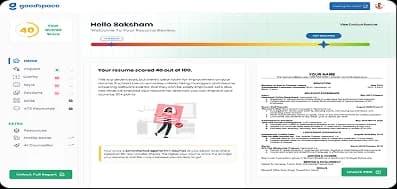
ATS Score Checker
Check your ATS resume score instantly with AI-powered keyword & formatting analysis.
Resume Builder
Build an ATS-friendly resume with professional templates designed to get you shortlisted.

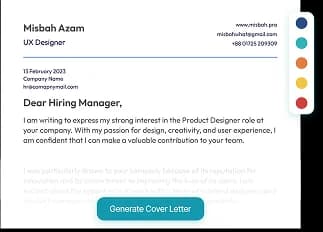
Cover Letter Generator
Generate compelling cover letters tailored to each job application automatically.
HR Letter Writer
Leave, resignation, salary hike and every other HR letter, in the right format with a ready-to-send email.
Job Tracker
Every job you apply to on one board, as a table or Kanban, with the resume you sent kept alongside.
Profile Boost
Stand out to recruiters with an optimized profile. Boost your visibility instantly.





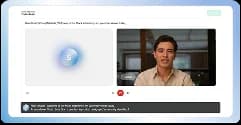
AI Mock Interview
Practice a mock interview online with an AI interviewer that adapts to your role.
Placement Assistance
End-to-end placement support with curated job matches and expert guidance.

Refer & Earn
Refer friends to GoodSpace and earn real money for every successful hire.