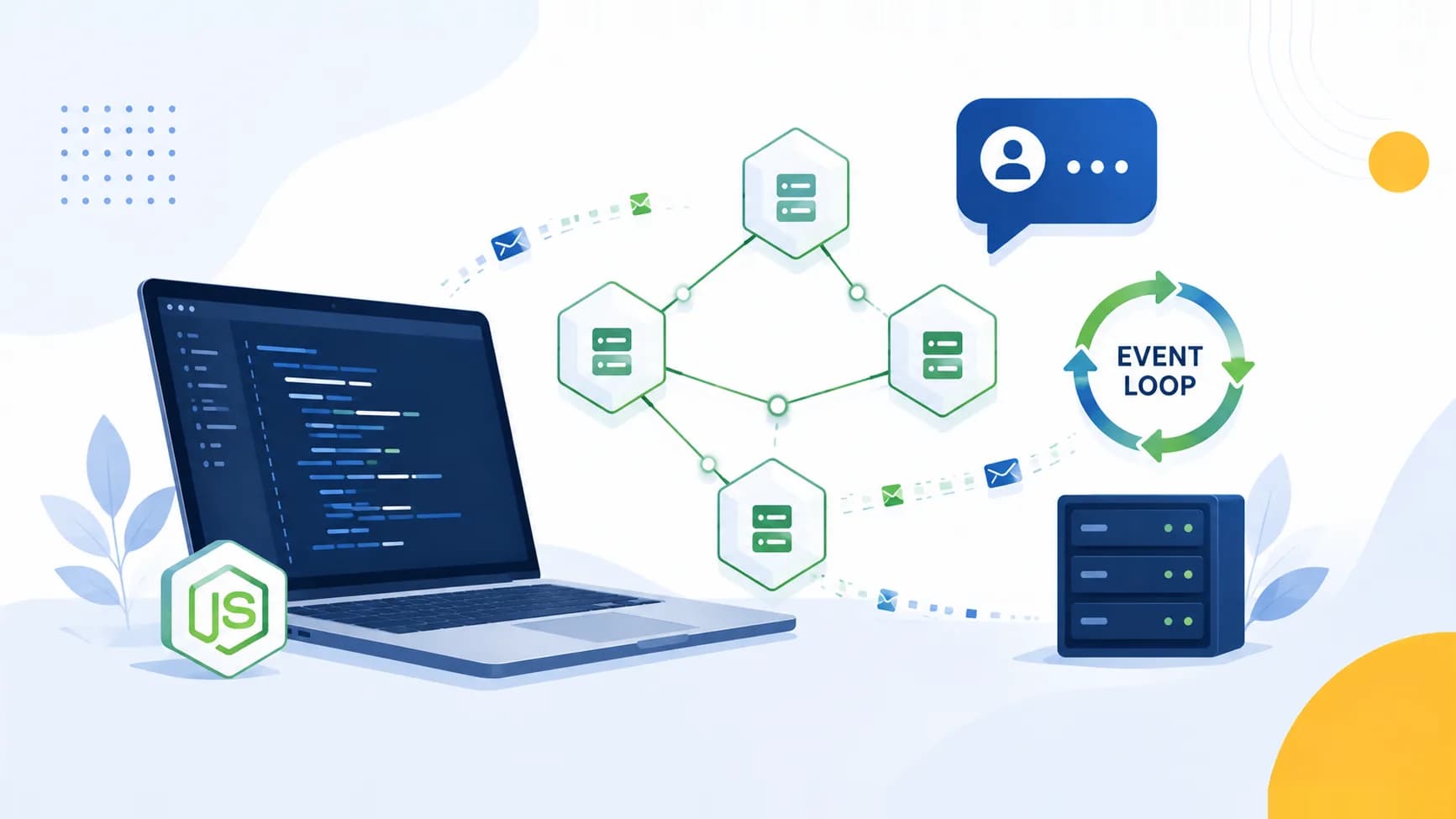
If you are preparing for backend roles in India, Node.js interview questions show up in almost every screening round, from service based companies in Bangalore and Pune to product startups in Gurugram. This guide collects 45 plus of the most commonly asked Node.js interview questions, organised by topic and pitched at both freshers and experienced engineers. Every answer is kept concise and correct, with runnable code where it helps. Work through it once for understanding, then use it as a quick revision sheet the night before your round.
Node.js remains one of the highest demand backend skills in the Indian market because a single JavaScript codebase can power both frontend and server. Interviewers rarely ask you to memorise definitions. They probe whether you actually understand the event loop, non blocking I/O, streams, and how you would keep a service alive under load. This article is structured to build that understanding from the ground up.
Node.js Basics and Architecture
1. What is Node.js and why is it used?
Node.js is a runtime that executes JavaScript outside the browser, built on Chrome's V8 engine. It uses an event driven, non blocking I/O model, which makes it lightweight and efficient for I/O heavy applications such as APIs, real time chat, and streaming services. Because you write JavaScript on both client and server, teams share code and tooling across the stack.
2. Is Node.js single threaded? How does it handle concurrency then?
Yes, the main JavaScript execution runs on a single thread. Node.js achieves concurrency through an event loop and a background thread pool provided by the libuv library. When your code issues an I/O operation such as a database or file read, Node hands it off, continues running other code, and invokes your callback once the operation completes. So it is single threaded for your JavaScript, but not single threaded overall.
3. What is the V8 engine?
V8 is Google's open source JavaScript and WebAssembly engine, written in C++. It compiles JavaScript directly to native machine code rather than interpreting it, which is why Node.js is fast. Node embeds V8 and adds APIs for file system, networking, and operating system access that browsers do not expose.
4. How is Node.js different from JavaScript in the browser?
They share the same language and V8 engine but expose different capabilities.
| Aspect | Browser JavaScript | Node.js |
|---|---|---|
| Global object | window |
global |
| DOM access | Yes | No |
| File system, OS access | No | Yes (fs, os, net) |
| Module system | ES Modules | CommonJS and ES Modules |
| Primary use | User interface | Servers, tooling, CLIs |
5. What is the REPL in Node.js?
REPL stands for Read, Eval, Print, Loop. Running node with no file opens an interactive shell where you type an expression, it is evaluated, the result is printed, and the loop repeats. It is handy for quickly testing snippets and APIs.
6. What are the main advantages of Node.js?
Non blocking asynchronous I/O for high throughput, a single language across frontend and backend, the largest package ecosystem through npm, strong support for real time applications through WebSockets, and fast startup that suits containers and serverless.
7. What are first class functions in JavaScript, and why do they matter in Node?
A first class function can be assigned to variables, passed as an argument, and returned from another function. This is the foundation of the callback and higher order function patterns that Node's asynchronous APIs rely on.
Event Loop and Non-blocking I/O
8. What is the event loop?
The event loop is the mechanism that lets Node handle many operations on a single thread. It is an endless loop that checks queues of pending callbacks, executes the ready ones, and hands off long running I/O to the system, then continues. When an I/O task finishes, its callback is queued and eventually run by the loop.
9. What are the phases of the event loop?
Each iteration, called a tick, moves through ordered phases: timers (runs setTimeout and setInterval callbacks), pending callbacks, poll (retrieves new I/O events and runs their callbacks), check (runs setImmediate callbacks), and close callbacks. Between phases, the microtask queues for process.nextTick and resolved promises are drained.
10. What is non blocking I/O?
Non blocking I/O means an operation like reading a file does not stop the thread while it waits. Node registers a callback and moves on. The libuv thread pool performs the work in the background and notifies the event loop when it is done. This is what allows one process to serve thousands of concurrent connections.
11. What is the difference between process.nextTick and setImmediate?
Both defer work, but they fire at different points.
| Feature | process.nextTick |
setImmediate |
|---|---|---|
| When it runs | Before the event loop continues, after the current operation | In the check phase of the next loop iteration |
| Priority | Higher, runs first | Lower |
| Risk | Recursive calls can starve the loop | Safe, yields to I/O |
| Use case | Defer to just after current code | Run after current poll phase completes |
console.log('start');
setImmediate(() => console.log('setImmediate'));
process.nextTick(() => console.log('nextTick'));
console.log('end');
// Output: start, end, nextTick, setImmediate
12. What is libuv?
libuv is the C library that gives Node its event loop and a thread pool (four threads by default). It abstracts asynchronous file system operations, DNS, and networking across operating systems, and handles the concurrency that the single JavaScript thread cannot do alone.
13. What is the reactor pattern?
The reactor pattern is the design behind Node's I/O. Requests are registered with a handler and the reactor (the event loop) dispatches each completed event to its handler. It is what makes the event driven, non blocking model work.
14. How can blocking the event loop hurt an application?
If you run CPU heavy work such as a huge loop, synchronous JSON parsing of a large payload, or a catastrophic regular expression, the single thread cannot process other callbacks. Requests pile up and latency spikes. The fix is to offload heavy work to worker threads, break it into chunks, or delegate to a queue or separate service.
Once you understand the event loop, be ready to explain it out loud, not just recognise it. Interviewers often ask you to trace the output order of a snippet. Practising that verbally under time pressure is exactly where a tool like Goodspace's AI Mock Interview helps, because it puts you on the spot the way a real panel does.
Modules and npm
15. What is a module in Node.js?
A module is a reusable, self contained block of code. Node uses the CommonJS system by default, where each file is its own module with a private scope. You expose functionality with module.exports and pull it in with require.
// math.js
function add(a, b) { return a + b; }
module.exports = { add };

// app.js
const { add } = require('./math');
console.log(add(2, 3)); // 5
16. What is the difference between module.exports and exports?
exports is just a reference that initially points to the same object as module.exports. Node actually returns module.exports. So you can add properties to exports, but if you reassign exports = something, you break the link and nothing is exported. Assign to module.exports when replacing the whole export.
17. What is the difference between CommonJS and ES Modules?
CommonJS uses require and module.exports, loads synchronously, and is the historical default. ES Modules use import and export, load asynchronously, support static analysis and tree shaking, and are enabled with "type": "module" in package.json or the .mjs extension. New projects increasingly use ES Modules.
18. What is package.json?
It is the manifest at the root of a Node project. It records metadata, dependencies and their version ranges, and scripts such as start and test. Running npm install reads it to reconstruct node_modules.
19. What is the difference between dependencies and devDependencies?
dependencies are packages the application needs at runtime, for example Express. devDependencies are needed only during development or build, for example testing frameworks and linters. Installing with npm install --production skips devDependencies.
20. What is the purpose of package-lock.json?
It locks the exact resolved version of every package and sub dependency, so every developer and every deployment installs an identical tree. This makes builds reproducible and avoids the classic "works on my machine" drift.
21. What is npx?
npx runs a package binary without installing it globally. It is commonly used for one off commands and scaffolding, for example npx create-react-app, fetching the package temporarily and executing it.
Streams and Buffers
22. What is a stream in Node.js?
A stream is an abstraction for reading or writing data sequentially in chunks, rather than loading it all into memory at once. Streams are ideal for large files, network transfers, and any data that arrives over time.
23. What are the types of streams?
There are four: Readable (source you read from, such as a file read stream), Writable (destination you write to, such as an HTTP response), Duplex (both readable and writable, such as a TCP socket), and Transform (a duplex stream that modifies data as it passes through, such as compression).
24. What is a Buffer?
A Buffer is a fixed length container for raw binary data, used because JavaScript strings cannot cleanly represent bytes. Streams use buffers to hold chunks temporarily until they are consumed. Buffers are created in memory outside the V8 heap.
const buf = Buffer.from('Goodspace');
console.log(buf.length);         // 9
console.log(buf.toString('hex')); // hex representation
25. Why use streams instead of reading a whole file?
Reading a large file into memory can exhaust the process and crash under load. Piping a stream processes small chunks, keeping memory flat regardless of file size.
const fs = require('fs');
fs.createReadStream('big.log')
  .pipe(fs.createWriteStream('copy.log'));
26. What is backpressure?
Backpressure happens when a readable source produces data faster than a writable destination can consume it. If ignored, the internal buffer grows without limit and memory blows up. The pipe method and the stream.pipeline helper handle backpressure automatically by pausing the source when the destination is full.
Express.js
27. What is Express.js?
Express is a minimal, unopinionated web framework for Node. It provides a thin layer of routing, middleware support, and helpers for handling requests and responses, without dictating project structure. It is the default choice for REST APIs in the Node ecosystem.
28. How do you create a basic Express server?
const express = require('express');
const app = express();

app.get('/', (req, res) => res.send('Hello Goodspace'));

app.listen(3000, () => console.log('Server on port 3000'));
29. What is the difference between app.use and a route handler?
app.use mounts middleware that runs for all HTTP methods matching a path prefix. A route handler such as app.get or app.post is bound to a specific method and exact path. Middleware is for cross cutting concerns, route handlers are for endpoints.
30. How do you read route parameters, query parameters, and the request body?
Route parameters come from the URL path and live in req.params. Query parameters follow the ? and live in req.query. The body of a POST or PUT request lives in req.body, available only after a body parsing middleware runs.
app.get('/users/:id', (req, res) => {
  const id = req.params.id;        // /users/42 -> "42"
  const sort = req.query.sort;     // ?sort=name -> "name"
  res.json({ id, sort });
});
31. What is express.Router used for?
express.Router creates a modular, mountable group of routes. You define related routes in their own file and mount them, which keeps large applications organised by feature.
const router = express.Router();
router.get('/', listUsers);
router.post('/', createUser);
module.exports = router;
// app.use('/users', router);
32. How do you serve static files in Express?
Use the built in express.static middleware pointed at a directory. Files inside are served directly by URL. A common pitfall is exposing sensitive files by pointing it at the project root instead of a dedicated public folder.
app.use(express.static('public'));
Middleware
33. What is middleware in Express?
Middleware is a function that runs between receiving a request and sending a response. It has access to req, res, and the next function. It can inspect or modify the request and response, end the cycle, or pass control to the next middleware by calling next().
function logger(req, res, next) {
  console.log(`${req.method} ${req.url}`);
  next();
}
app.use(logger);
34. What are the common types of middleware?
Application level middleware bound with app.use, router level middleware bound to a Router instance, built in middleware such as express.json, third party middleware such as cors or helmet, and error handling middleware with four arguments.
35. Why does middleware order matter?
Express executes middleware in the exact order it is defined. If an authentication check is placed after a route handler, unauthenticated requests reach the handler first. A classic bug where an auth guard is bypassed almost always traces back to wrong middleware ordering.
36. What does the next function do?
Calling next() passes control to the next middleware in the stack. Calling next(err) with an argument skips all remaining regular middleware and jumps straight to error handling middleware.
Error Handling
37. How do you handle errors in Express?
Define an error handling middleware with four parameters, (err, req, res, next), and register it after all other routes and middleware. Express recognises the four argument signature and routes errors to it.
app.use((err, req, res, next) => {
  console.error(err.stack);
  res.status(500).json({ error: 'Something went wrong' });
});
38. How do synchronous and asynchronous errors differ in Express?
Errors thrown synchronously inside a route handler are caught by Express automatically. Errors inside an asynchronous callback or a rejected promise are not, so you must pass them along with next(err) or wrap your async handlers so rejections are forwarded.
app.get('/data', async (req, res, next) => {
  try {
    const data = await fetchData();
    res.json(data);
  } catch (err) {
    next(err); // forward to error middleware
  }
});
39. What is the "Cannot set headers after they are sent" error?
It means your code tried to send a response more than once, for example calling res.send and then continuing to another res.json. The fix is to ensure each request path sends exactly one response, usually by adding a return after sending.
40. How should you handle uncaught exceptions and unhandled rejections?
Listen on process.on('uncaughtException') and process.on('unhandledRejection') for logging and cleanup, but treat them as a signal that the process is in an unknown state. Best practice is to log, then let the process exit and restart under a process manager, rather than trying to continue.
Async Patterns: Callbacks, Promises, and Async/Await
41. What is callback hell and how do you avoid it?
Callback hell is deeply nested callbacks, each depending on the previous, that become hard to read and maintain. You avoid it with named functions, Promises, or async/await, which flatten the structure.
42. What is a Promise?
A Promise represents the eventual result of an asynchronous operation. It is in one of three states: pending, fulfilled, or rejected. You attach handlers with .then and .catch, which lets you chain operations without nesting.
43. What is async/await?
async/await is syntactic sugar over Promises. An async function returns a Promise, and await pauses execution inside it until a Promise settles, letting you write asynchronous code that reads like synchronous code. Errors are handled with regular try/catch.
async function getUser(id) {
  try {
    const res = await fetch(`/api/users/${id}`);
    return await res.json();
  } catch (err) {
    console.error('Fetch failed', err);
  }
}
44. How do you run asynchronous operations in parallel?
Use Promise.all to run independent promises concurrently and wait for all to resolve, or Promise.allSettled when you want every result regardless of individual failures. Awaiting each one in sequence would be slower because they would run one after another.
const [users, posts] = await Promise.all([
  fetchUsers(),
  fetchPosts(),
]);
45. What is the difference between Promise.all and Promise.race?
Promise.all resolves when every promise resolves, or rejects as soon as any one rejects. Promise.race settles as soon as the first promise settles, whether it resolves or rejects. race is useful for timeouts.
Clustering and Scaling
46. What is the cluster module?
Because a single Node process uses one CPU core for JavaScript, the cluster module forks multiple worker processes that share the same server port. A master process distributes incoming connections across workers, letting the application use all available cores.
const cluster = require('cluster');
const os = require('os');

if (cluster.isPrimary) {
  os.cpus().forEach(() => cluster.fork());
} else {
  require('./server'); // each worker runs the app
}
47. What is the difference between the cluster module and worker threads?
Cluster forks separate processes, each with its own memory and event loop, and is best for scaling I/O bound request handling across cores. Worker threads run inside one process and can share memory through SharedArrayBuffer, and are best for CPU intensive tasks such as image processing or heavy computation without blocking the main thread.
| Feature | Cluster | Worker Threads |
|---|---|---|
| Isolation | Separate processes | Threads in one process |
| Memory | Not shared | Can be shared |
| Best for | Scaling I/O across cores | CPU heavy work |
| Communication | IPC messaging | Message passing, shared buffers |
48. How would you scale a Node.js application in production?
Run multiple instances behind a load balancer using clustering or a process manager such as PM2, offload CPU work to worker threads or background job queues, cache frequent reads, use a database connection pool, and scale horizontally by adding more machines or containers.
49. How do you achieve graceful shutdown?
Listen for SIGTERM, stop accepting new connections with server.close, drain in flight requests, close database and queue connections, and set a timeout so the process exits even if something hangs. This enables zero downtime deployments when coordinated with the load balancer.
Security
50. What are common security best practices in Node.js?
Keep secrets in environment variables not in code, validate and sanitise all input, set secure HTTP headers with helmet, enable CORS deliberately, use parameterised queries to prevent injection, apply rate limiting, keep dependencies patched, and never run the process as root.
51. How do you prevent injection attacks?
Never build queries by concatenating user input. Use parameterised queries or an ORM that escapes values, validate input against an expected schema, and treat all incoming data as untrusted until validated.
52. How do you manage secrets and configuration?
Store configuration in environment variables loaded at startup, validate that required variables exist before the app serves traffic, and never commit secrets to version control. Use a secrets manager in production rather than plain .env files.
53. What is rate limiting and why does it matter?
Rate limiting caps how many requests a client can make in a time window. It protects against brute force attempts, scraping, and denial of service, and is usually implemented as middleware that tracks request counts per client key.
Coding Questions
54. Write a function to read a file asynchronously.
const fs = require('fs').promises;

async function readConfig(path) {
  const data = await fs.readFile(path, 'utf8');
  return JSON.parse(data);
}
55. Implement a simple event emitter usage.
const EventEmitter = require('events');
const bus = new EventEmitter();

bus.on('order', (id) => console.log('Order received', id));
bus.emit('order', 101); // Order received 101
56. Add a timeout to a promise using Promise.race.
function withTimeout(promise, ms) {
  const timeout = new Promise((_, reject) =>
    setTimeout(() => reject(new Error('Timed out')), ms)
  );
  return Promise.race([promise, timeout]);
}
57. Write middleware that measures request duration.
function timer(req, res, next) {
  const start = Date.now();
  res.on('finish', () => {
    console.log(`${req.method} ${req.url} took ${Date.now() - start}ms`);
  });
  next();
}
58. Debounce a function (a common JavaScript follow up).
function debounce(fn, delay) {
  let id;
  return (...args) => {
    clearTimeout(id);
    id = setTimeout(() => fn(...args), delay);
  };
}
How to Prepare for a Node.js Interview
Start with fundamentals, because most fresher rounds in India spend the first fifteen minutes here. Be able to explain the event loop, non blocking I/O, and the single threaded model in your own words, not textbook lines. Interviewers frequently give you a snippet mixing setTimeout, setImmediate, and process.nextTick and ask for the output order, so practise tracing execution.
Next, build one small project end to end, a REST API with Express, a database, authentication middleware, and proper error handling. A real project gives you concrete answers when the interviewer asks "how did you handle X", which is far more convincing than theory. For experienced roles, be ready to discuss scaling, clustering, memory leaks, graceful shutdown, and how you debugged a production incident.
Revise this list a day before, then do at least one full length mock out loud. Reading answers silently creates a false sense of readiness because you never rehearse speaking under pressure. A structured practice run with Goodspace's AI Mock Interview simulates the back and forth of a real technical round and surfaces the gaps you cannot see when you are only reading. Time box your answers, keep them structured, and always finish with a short example.
Finally, prepare a few questions to ask the interviewer about their architecture and scale. It signals genuine interest and often turns into a deeper technical discussion where you can show your strengths.
Frequently Asked Questions
Is Node.js still in demand for backend jobs in India in 2026?
Yes. Node.js remains one of the most requested backend skills across Indian startups and service companies, largely because JavaScript spans both frontend and backend and hiring for full stack roles is strong.
Do I need to know Express for a Node.js interview?
For almost all backend roles, yes. Express is the default framework for REST APIs in the Node ecosystem, so expect questions on routing, middleware, and error handling even in fresher rounds.
How many Node.js questions should a fresher prepare?
Aim to master the basics, event loop, modules, and Express middleware thoroughly rather than memorising hundreds of questions shallowly. The 45 plus questions in this guide cover the topics that come up most often.
What is the most commonly asked Node.js interview question?
Explaining the event loop and how Node handles concurrency despite being single threaded is the near universal question, often followed by a code output tracing exercise.
Should I learn TypeScript for Node.js interviews?
It is increasingly valued, especially for product companies, but plain JavaScript fundamentals matter more for freshers. Learn TypeScript once you are comfortable with core Node concepts.
How do I practise Node.js coding questions?
Write small programs by hand, focusing on asynchronous patterns, streams, and Express middleware, then explain your solution aloud as if to an interviewer. Combining written practice with spoken mock interviews builds both correctness and confidence.
Conclusion
Node.js interviews reward genuine understanding over rote memorisation. If you can explain the event loop clearly, reason about asynchronous code, structure an Express application, and talk through how you would scale and secure a service, you will handle the vast majority of rounds. Use this guide to build that understanding, revise it before your interview, and rehearse your answers out loud so you walk in prepared and confident.