If you are preparing for a placement drive, an off-campus role, or a lateral switch in India, computer networks interview questions are almost guaranteed to show up. Networking is one of the core computer science subjects that interviewers use to test whether you truly understand how systems talk to each other, from a browser request to a database query crossing continents. This guide collects 50 plus of the most frequently asked computer networks interview questions, organised by topic, with concise and technically correct answers for both freshers and experienced engineers.
Whether you are targeting a service company like TCS, Infosys, Wipro, or Accenture, a product company, or a dedicated network engineering role (NOC, network administrator, cloud networking), the fundamentals below come up again and again. We have deliberately covered the areas that most existing guides skip, including DHCP, subnetting maths, network devices, and real scenario questions. Work through each section, say the answers out loud, and you will walk into the room ready.
Networking Basics
These are the warm-up questions. Interviewers use them to gauge your foundation before going deeper. Get them crisp and confident.
What is a computer network?
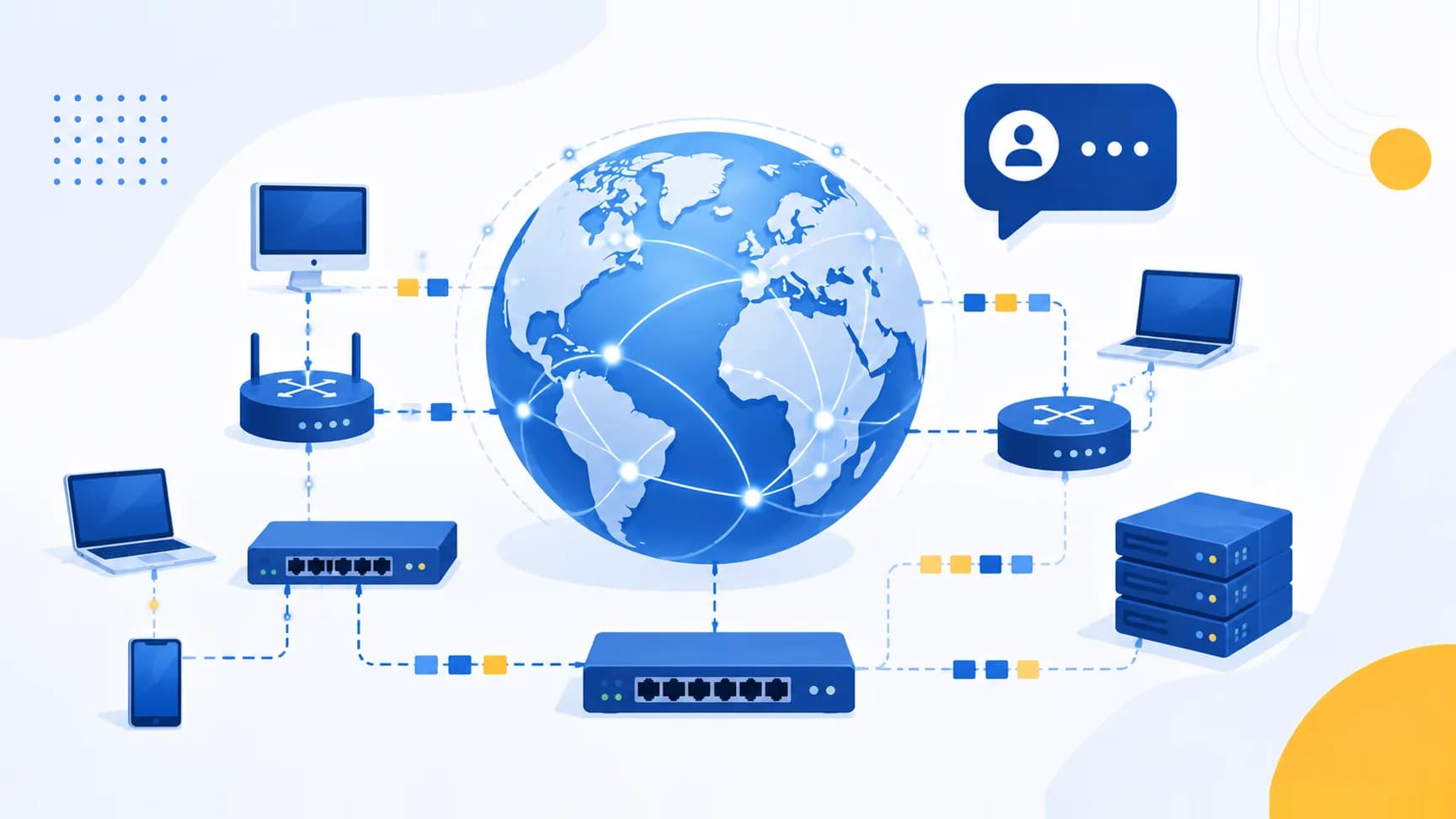
A computer network is a collection of two or more devices (computers, servers, phones, printers) connected together to share data and resources. The devices communicate using agreed rules called protocols. Networks let users share files, printers, internet access, and applications, and they range from a two-device home setup to the global internet.
What are the main types of networks: LAN, MAN, and WAN?
- LAN (Local Area Network): Covers a small area like an office, home, or single building. High speed, low cost, privately owned. Example: an office Wi-Fi network.
- MAN (Metropolitan Area Network): Spans a city or large campus, larger than a LAN but smaller than a WAN. Example: a city-wide cable TV or broadband network.
- WAN (Wide Area Network): Covers large geographic areas, countries or continents. The internet is the largest WAN.
There is also PAN (Personal Area Network) for a very short range, like Bluetooth between your phone and earbuds.
What is the difference between a node and a host?
A node is any device connected to the network that can send, receive, or forward data, including routers and switches. A host is a node that runs applications and is an endpoint of communication, such as a computer or server. Every host is a node, but not every node is a host.
What is network topology? Name the common types.
Topology is the physical or logical arrangement of devices in a network. Common types:
- Bus: All devices share a single backbone cable. Cheap but a single cable fault breaks everything.
- Star: All devices connect to a central hub or switch. Easy to manage, but the central device is a single point of failure.
- Ring: Each device connects to two others forming a circle. Data travels in one direction.
- Mesh: Every device connects to every other device. Highly reliable and fault tolerant, but expensive.
- Tree and Hybrid: Combinations of the above for larger networks.
What is bandwidth, throughput, and latency?
- Bandwidth is the maximum data-carrying capacity of a link, measured in bits per second.
- Throughput is the actual amount of data successfully transferred over the link in practice, usually lower than bandwidth.
- Latency is the delay for a packet to travel from source to destination, measured in milliseconds.
A useful analogy: bandwidth is the width of a pipe, throughput is the water actually flowing, and latency is the time for the first drop to arrive.
The OSI Model (7 Layers)
The OSI (Open Systems Interconnection) model is a favourite interview topic. Expect to be asked to name the layers, explain each, and give protocol examples.
What is the OSI model and what are its 7 layers?
The OSI model is a conceptual framework that standardises how devices communicate, splitting the process into 7 layers. From top to bottom:
| Layer | Name | Function | Example Protocols / Units |
|---|---|---|---|
| 7 | Application | Interface for user applications | HTTP, FTP, SMTP, DNS |
| 6 | Presentation | Translation, encryption, compression | SSL/TLS, JPEG, ASCII |
| 5 | Session | Establishes, manages, terminates sessions | NetBIOS, RPC, sockets |
| 4 | Transport | End-to-end delivery, reliability | TCP, UDP (segments) |
| 3 | Network | Logical addressing and routing | IP, ICMP, routers (packets) |
| 2 | Data Link | Framing, MAC addressing, error detection | Ethernet, switches (frames) |
| 1 | Physical | Transmission of raw bits over media | Cables, hubs, signals (bits) |
A common mnemonic top to bottom is "All People Seem To Need Data Processing."
What is the difference between the Application, Presentation, and Session layers?
The Application layer (7) provides services directly to the user's software, like a browser making an HTTP request. The Presentation layer (6) formats, encrypts, and compresses the data so both ends understand it. The Session layer (5) opens, maintains, and closes the dialogue between two applications, handling synchronisation and checkpoints.
At which layer do routers, switches, and hubs operate?
- Hub: Layer 1 (Physical). It simply repeats signals to all ports.
- Switch: Layer 2 (Data Link). It forwards frames using MAC addresses. (Layer 3 switches also do routing.)
- Router: Layer 3 (Network). It forwards packets between networks using IP addresses.
What is encapsulation and decapsulation?
As data moves down the OSI stack on the sending side, each layer adds its own header (and sometimes a trailer). This wrapping is encapsulation. On the receiving side, each layer strips off its corresponding header as data moves up. This is decapsulation. The data unit changes name at each layer: segment (transport), packet (network), frame (data link), bits (physical).
The TCP/IP Model
What is the TCP/IP model and how does it map to OSI?
The TCP/IP model is the practical, four-layer model that the internet actually runs on. It predates OSI as a working implementation and is more compact.
| TCP/IP Layer | Maps to OSI Layers | Example Protocols |
|---|---|---|
| Application | 7, 6, 5 (Application, Presentation, Session) | HTTP, FTP, DNS, SMTP |
| Transport | 4 (Transport) | TCP, UDP |
| Internet | 3 (Network) | IP, ICMP, ARP |
| Network Access (Link) | 2, 1 (Data Link, Physical) | Ethernet, Wi-Fi |
What is the key difference between OSI and TCP/IP models?
| Aspect | OSI Model | TCP/IP Model |
|---|---|---|
| Layers | 7 | 4 |
| Nature | Conceptual reference | Practical, implemented |
| Usage | Teaching and design | Real internet communication |
| Development | Developed after protocols existed as a standard | Protocols developed first, model described later |
| Flexibility | Strict layer separation | More flexible, layers can overlap |
Remember: OSI is the theory used to explain networking, while TCP/IP is what your machine genuinely uses to reach a website.
IP Addressing and Subnetting
Subnetting is where many candidates stumble, so interviewers love it as a filter. Practise the maths until it is second nature.
What is an IP address? Difference between IPv4 and IPv6?
An IP address is a unique logical address assigned to each device on a network so packets can be routed to it.
| Feature | IPv4 | IPv6 |
|---|---|---|
| Address size | 32 bits | 128 bits |
| Format | Dotted decimal (192.168.1.1) | Hexadecimal, colon-separated |
| Address space | About 4.3 billion | About 340 undecillion |
| Header | More complex, variable | Simplified, fixed 40 bytes |
| Security | Optional (IPSec add-on) | IPSec built in |
| Broadcast | Supported | Replaced by multicast/anycast |
IPv6 exists mainly because IPv4 addresses have run out.
What are the classes of IPv4 addresses?
| Class | Range (first octet) | Default Mask | Use |
|---|---|---|---|
| A | 1 to 126 | 255.0.0.0 (/8) | Very large networks |
| B | 128 to 191 | 255.255.0.0 (/16) | Medium networks |
| C | 192 to 223 | 255.255.255.0 (/24) | Small networks |
| D | 224 to 239 | Multicast | Multicasting |
| E | 240 to 255 | Reserved | Experimental |
Note that 127.x.x.x is reserved for loopback (localhost).
What are private IP address ranges?
Private IPs are not routable on the public internet and are reused inside private networks:
- 10.0.0.0 to 10.255.255.255 (Class A)
- 172.16.0.0 to 172.31.255.255 (Class B)
- 192.168.0.0 to 192.168.255.255 (Class C)
Your home router almost certainly hands out addresses like 192.168.1.x.
What is subnetting and why is it used?
Subnetting divides a large network into smaller sub-networks (subnets). Benefits: better use of address space, reduced broadcast traffic, improved security through segmentation, and easier management. It works by borrowing bits from the host portion of an address to create more network segments.
How do you calculate the number of hosts in a subnet?
The formula is 2^h minus 2, where h is the number of host bits, and we subtract 2 for the network address and broadcast address.
For example, a /24 network (255.255.255.0) has 8 host bits: 2^8 minus 2 equals 254 usable hosts. A /26 network has 6 host bits: 2^6 minus 2 equals 62 usable hosts.
What is CIDR notation?
CIDR (Classless Inter-Domain Routing) replaces rigid classes with a suffix showing how many bits are the network portion. For example, 192.168.1.0/24 means the first 24 bits are the network, leaving 8 bits for hosts. CIDR allows flexible allocation and reduces routing table size through aggregation.
What is the difference between a public and private IP address?
A public IP is globally unique and reachable over the internet, assigned by your ISP. A private IP is used only within a local network and must be translated (via NAT) before traffic reaches the internet. Multiple devices behind one router share a single public IP.
TCP vs UDP
What is the difference between TCP and UDP?
This is one of the most asked computer networks interview questions.
| Feature | TCP | UDP |
|---|---|---|
| Connection | Connection-oriented | Connectionless |
| Reliability | Reliable, acknowledgements and retransmission | Unreliable, best effort |
| Ordering | Guarantees order | No ordering |
| Speed | Slower due to overhead | Faster, low overhead |
| Header size | 20 bytes | 8 bytes |
| Flow control | Yes | No |
| Use cases | Web, email, file transfer | Streaming, gaming, VoIP, DNS |
Explain the TCP three-way handshake.
TCP establishes a connection using three steps:
- SYN: The client sends a SYN (synchronise) packet with an initial sequence number.
- SYN-ACK: The server replies with SYN-ACK, acknowledging the client and sending its own sequence number.
- ACK: The client acknowledges the server's SYN.
After this exchange, the connection is established and data transfer begins.
How does TCP connection termination work?
TCP uses a four-way handshake to close a connection. One side sends FIN, the other replies with ACK, then sends its own FIN, which is acknowledged with a final ACK. A TIME_WAIT state ensures any delayed packets are handled before the socket is fully released.
What is flow control versus congestion control?
Flow control prevents a fast sender from overwhelming a slow receiver, managed via the receiver's advertised window. Congestion control prevents the sender from overwhelming the network itself, managed via algorithms like Slow Start and AIMD (Additive Increase Multiplicative Decrease). Flow control is end-to-end, congestion control is network-aware.
When would you choose UDP over TCP?
Choose UDP when speed and low latency matter more than perfect delivery, such as live video streaming, online gaming, voice calls (VoIP), and DNS lookups. Losing an occasional packet in a video is acceptable, but the delay of retransmission is not.
DNS (Domain Name System)
What is DNS and why is it needed?
DNS is the system that translates human-readable domain names (like goodspace.ai) into machine-readable IP addresses. Humans remember names, but routers need numbers, so DNS acts as the phonebook of the internet.
Walk through what happens when you type a URL and press Enter.
- The browser checks its cache, then the OS cache, for the domain's IP.
- If not found, a DNS query goes to a resolver (usually your ISP or a public resolver like 8.8.8.8).
- The resolver queries the root server, then the TLD server (.ai, .com), then the authoritative name server, to get the IP.
- A TCP connection is established (three-way handshake), and TLS is negotiated for HTTPS.
- The browser sends an HTTP request, the server responds with the page, and the browser renders it.
This end-to-end question is a favourite because it touches DNS, TCP, TLS, and HTTP at once.
What are the common DNS record types?
- A: Maps a domain to an IPv4 address.
- AAAA: Maps a domain to an IPv6 address.
- CNAME: Alias of one domain to another.
- MX: Mail exchange server for email.
- NS: Name server for the domain.
- TXT: Arbitrary text, often used for verification and SPF records.
What is the difference between recursive and iterative DNS queries?
In a recursive query, the DNS resolver takes full responsibility and returns the final answer to the client, doing all the legwork. In an iterative query, each server returns the best answer it has (often a referral to another server), and the client or resolver keeps asking the next server until it resolves the name.
DHCP (Dynamic Host Configuration Protocol)
Many guides skip DHCP, but it is common in both fresher and network-admin interviews.
What is DHCP and what does it do?
DHCP automatically assigns IP addresses and network configuration (subnet mask, default gateway, DNS servers) to devices when they join a network. Without it, every device would need manual (static) configuration.
Explain the DHCP DORA process.
DHCP works through four steps, remembered as DORA:
- Discover: The client broadcasts a DHCPDISCOVER to find any DHCP server.
- Offer: Servers respond with a DHCPOFFER proposing an IP address.
- Request: The client broadcasts a DHCPREQUEST accepting one offer.
- Acknowledge: The server sends a DHCPACK confirming the lease.
What is a DHCP lease?
A lease is the time period for which an IP address is assigned to a device. When it nears expiry, the client attempts to renew. If it does not renew, the address returns to the pool for reuse. This lets networks recycle a limited pool of addresses efficiently.
HTTP and HTTPS
What is the difference between HTTP and HTTPS?
HTTP (HyperText Transfer Protocol) transfers web data in plaintext on port 80. HTTPS is HTTP layered over SSL/TLS encryption on port 443, so data in transit is encrypted and the server's identity is verified via a certificate. HTTPS protects against eavesdropping and tampering and is now the default for all serious websites.
What is the difference between the HTTP methods GET and POST?
GET requests data and appends parameters to the URL, so it is visible, cacheable, and should not change server state. POST sends data in the request body, is used to create or submit data, is not cached, and can carry larger payloads. GET is idempotent, POST is not.
What are common HTTP status codes?
- 2xx (Success): 200 OK, 201 Created.
- 3xx (Redirection): 301 Moved Permanently, 302 Found.
- 4xx (Client error): 400 Bad Request, 401 Unauthorized, 403 Forbidden, 404 Not Found.
- 5xx (Server error): 500 Internal Server Error, 502 Bad Gateway, 503 Service Unavailable.
How does the SSL/TLS handshake work at a high level?
The client and server agree on a protocol version and cipher suite, the server presents its certificate to prove identity, they exchange keys (using asymmetric encryption) to establish a shared secret, and then switch to fast symmetric encryption for the actual data. This gives both authentication and confidentiality.
What is the difference between HTTP/1.1, HTTP/2, and HTTP/3?
HTTP/1.1 handles one request per connection at a time (with pipelining limits). HTTP/2 adds multiplexing so many requests share one connection, plus header compression. HTTP/3 runs over QUIC (built on UDP) to eliminate head-of-line blocking and speed up connection setup.
Routing and Switching
What is routing?
Routing is the process of selecting the best path for data packets to travel from source to destination across networks. Routers maintain routing tables and use protocols to learn and choose paths.
What is the difference between static and dynamic routing?
Static routing uses manually configured routes: simple, predictable, and secure, but not scalable and requires manual updates. Dynamic routing uses protocols (like OSPF and BGP) that automatically discover and adapt routes as the network changes, which is essential for large networks.
Explain the difference between distance-vector and link-state routing protocols.
Distance-vector protocols (like RIP) share their entire routing table with neighbours and choose paths based on hop count. They converge slowly and can suffer count-to-infinity problems. Link-state protocols (like OSPF) share link information with all routers, build a full topology map, and use Dijkstra's algorithm to compute shortest paths, converging faster.
What is BGP?
BGP (Border Gateway Protocol) is the routing protocol of the internet. It is a path-vector protocol that exchanges routing information between autonomous systems (large networks run by ISPs and organisations). BGP decides how traffic flows across the global internet.
What is the difference between a switch and a router?
A switch operates at Layer 2 and connects devices within the same local network, forwarding frames by MAC address. A router operates at Layer 3 and connects different networks, forwarding packets by IP address and choosing routes. In short, switches build a network, routers connect networks.
What is a VLAN?
A VLAN (Virtual Local Area Network) logically segments a single physical switch into multiple isolated broadcast domains. Devices in different VLANs cannot talk directly without a router, even if plugged into the same switch. VLANs improve security, reduce broadcast traffic, and organise networks by function rather than physical location.
What is Spanning Tree Protocol (STP)?
STP prevents loops in a switched network with redundant paths. It elects a root bridge and selectively blocks redundant links, leaving a single active path. If an active link fails, STP re-enables a blocked link to restore connectivity. Without STP, broadcast storms would cripple the network.
Core Protocols (ARP, ICMP, FTP, SMTP)
What is ARP?
ARP (Address Resolution Protocol) maps a known IP address to its MAC address on a local network. When a device needs to send data to an IP on the same LAN, it broadcasts an ARP request asking "who has this IP?" and the owner replies with its MAC address.
What is ICMP and where is it used?
ICMP (Internet Control Message Protocol) is used for diagnostics and error reporting, not for carrying application data. The ping command uses ICMP echo request and reply to check reachability, and traceroute uses ICMP (or UDP) with increasing TTL values to map the path to a destination.
What is the difference between FTP and TFTP?
FTP (File Transfer Protocol) is a full-featured, connection-oriented protocol over TCP that supports authentication, directory listing, and reliable transfer using ports 20 and 21. TFTP (Trivial FTP) is a lightweight, connectionless protocol over UDP with no authentication, used for simple transfers like booting devices.
What is SMTP and how does email delivery work?
SMTP (Simple Mail Transfer Protocol) is the protocol for sending email between servers, using port 25 (or 587 with encryption). SMTP pushes mail from the sender's client to the server and between servers. To retrieve mail, clients use POP3 (downloads and usually deletes from server) or IMAP (keeps mail synced on the server across devices).
What is Telnet and why is SSH preferred?
Telnet provides remote command-line access but sends everything, including passwords, in plaintext, so it is insecure. SSH (Secure Shell) provides the same remote access but encrypts the entire session, so it has replaced Telnet for administering servers and network devices.
Network Devices (Router, Switch, Hub, Gateway)
What is the difference between a hub, switch, and router?
| Device | OSI Layer | Function | Intelligence |
|---|---|---|---|
| Hub | 1 (Physical) | Repeats signal to all ports | None, floods everything |
| Switch | 2 (Data Link) | Forwards frames by MAC address | Learns MAC addresses |
| Router | 3 (Network) | Routes packets between networks by IP | Makes path decisions |
A hub is a "dumb" repeater, a switch is smart within a LAN, and a router connects and directs traffic between different networks.
What is a gateway?
A gateway is a device (often a router) that acts as an entry and exit point between two different networks, especially networks using different protocols. Your "default gateway" is the router that forwards your traffic from the local network out to the internet.
What is the difference between a bridge and a switch?
A bridge connects two network segments and forwards traffic based on MAC addresses, typically with few ports. A switch is essentially a multi-port bridge with many ports and hardware-accelerated forwarding. Switches have largely replaced bridges in modern networks.
What is a modem and how does it differ from a router?
A modem (modulator-demodulator) converts signals between your ISP's medium (fibre, cable, DSL) and digital data your devices understand. A router then distributes that internet connection to multiple devices and manages the local network. Many home units combine both into one box.
What is NAT?
NAT (Network Address Translation) lets many devices on a private network share a single public IP address. The router rewrites private source addresses to its public address on outgoing packets and reverses the mapping on the replies. NAT conserves scarce IPv4 addresses and adds a layer of privacy.
Network Security Basics
What is a firewall and what types exist?
A firewall monitors and controls incoming and outgoing traffic based on security rules, forming a barrier between a trusted internal network and untrusted external networks. Types include packet-filtering firewalls (inspect headers), stateful firewalls (track connection state), and next-generation firewalls (deep packet inspection, application awareness).
What is the difference between symmetric and asymmetric encryption?
Symmetric encryption uses a single shared key for both encryption and decryption. It is fast but requires securely sharing the key (example: AES). Asymmetric encryption uses a public and private key pair: data encrypted with one key is decrypted with the other. It is slower but solves key distribution (example: RSA). TLS uses asymmetric encryption to exchange a symmetric key, then symmetric for speed.
What is a VPN?
A VPN (Virtual Private Network) creates an encrypted tunnel over a public network, so your traffic is private and appears to originate from the VPN server. It is used for secure remote access to corporate networks and to protect data on untrusted networks like public Wi-Fi.
What is a DDoS attack?
A DDoS (Distributed Denial of Service) attack floods a target server or network with traffic from many compromised machines (a botnet), exhausting its resources so legitimate users cannot access the service. Mitigation includes rate limiting, traffic filtering, and cloud-based scrubbing services.
What is a man-in-the-middle (MITM) attack?
In a MITM attack, an attacker secretly intercepts and possibly alters communication between two parties who believe they are talking directly. HTTPS, certificate validation, and strong encryption defend against it by ensuring both authenticity and confidentiality.
What is the difference between authentication and authorization?
Authentication verifies who you are (checking credentials like a password or token). Authorization determines what you are allowed to do (which resources and actions you can access). Authentication always comes first, then authorization decides permissions.
Common Scenario and Experienced-Level Questions
These situational questions appear more often in experienced and network-engineer interviews. They test practical troubleshooting, not just definitions.
A user cannot reach a website. How would you troubleshoot?
Work up the stack methodically:
- Check the physical and local connection (is the cable or Wi-Fi up?).
- Ping the default gateway to confirm local connectivity.
- Ping a public IP (like 8.8.8.8) to check internet reachability.
- Ping the domain name to test DNS resolution. If the IP works but the name fails, it is a DNS issue.
- Use traceroute to see where the path breaks.
- Check firewall rules, proxy settings, and whether the site itself is down.
Two devices have the same IP address on a network. What happens?
An IP conflict occurs. Both devices may experience intermittent or lost connectivity because traffic is misdelivered. DHCP normally prevents this by tracking leases, but conflicts arise when a static IP overlaps the DHCP pool. The fix is to release and renew addresses or correct the static assignment.
How does data travel from your laptop to a server in another country?
Your laptop resolves the destination via DNS, then sends packets to the default gateway. The home router applies NAT and forwards packets to the ISP. From there, routers use BGP to hop between autonomous systems across undersea cables and backbone links until packets reach the destination network, where they are switched to the server. TCP ensures reliable, ordered delivery, and acknowledgements flow back the same way.
What is the difference between a broadcast, unicast, and multicast?
- Unicast: One sender to one specific receiver.
- Broadcast: One sender to all devices on the network segment.
- Multicast: One sender to a specific group of interested receivers (used for streaming and video conferencing).
Why does a website feel slow even though your internet speed is high?
High bandwidth does not guarantee low latency. Slowness can come from high latency to a distant server, DNS resolution delays, server-side processing, packet loss forcing retransmissions, or congestion along the path. Bandwidth is capacity, but responsiveness depends on latency and the server too.
What is a proxy server?
A proxy sits between clients and servers, forwarding requests on the client's behalf. A forward proxy hides and controls client access (used for filtering and caching in offices). A reverse proxy sits in front of servers to handle load balancing, caching, and security, so clients only ever see the proxy.
What is load balancing?
Load balancing distributes incoming traffic across multiple servers so no single server is overwhelmed, improving availability and response time. Common algorithms include round robin, least connections, and IP hash. It is essential for scaling high-traffic applications.
How to Prepare for a Computer Networks Interview
For students and freshers in India appearing for CS or IT placements, and for experienced engineers targeting network roles, a structured approach beats last-minute cramming.
- Master the models first. The OSI and TCP/IP layers are the backbone of almost every follow-up question. If you can place any protocol at its layer instantly, you will handle chains of questions with ease.
- Practise subnetting on paper. Do timed drills calculating usable hosts, subnet masks, and network addresses until it is automatic. This is a common differentiator.
- Learn the full request lifecycle. Be able to narrate exactly what happens from typing a URL to seeing the page. It ties together DNS, TCP, TLS, HTTP, and routing.
- Use the tools. Actually run ping, traceroute, nslookup, ipconfig/ifconfig, and netstat on your own machine so your answers come from experience, not just theory.
- Prepare scenario answers. For experienced roles, practise troubleshooting narratives out loud so you can reason methodically under pressure.
- Do timed mock interviews. Reading answers is not the same as speaking them confidently. Practising with an AI-powered mock interview surfaces the gaps between what you know and what you can explain clearly. You can rehearse networking rounds with instant feedback using Goodspace's AI Mock Interview, which simulates the real question flow and scores your responses.
Consistency matters more than intensity. Twenty focused minutes a day for two weeks will beat one exhausting all-nighter.
Frequently Asked Questions (FAQ)
Are computer networks questions asked in software developer interviews too?
Yes. Even for pure software roles, interviewers ask networking basics like TCP vs UDP, the OSI model, DNS resolution, and HTTP because understanding how services communicate is fundamental to building reliable applications. Product companies especially probe the request lifecycle and TCP fundamentals.
How many computer networks questions should I prepare?
Aim to be fully confident on the 50 plus questions in this guide. If you can answer every one of these clearly and handle a couple of scenario questions, you will cover the vast majority of what campus and lateral interviews ask.
What is the single most important networking topic to master?
The OSI and TCP/IP models, because nearly every other question connects back to them. A close second is the "what happens when you type a URL" walkthrough, since it demonstrates end-to-end understanding across multiple layers and protocols in one answer.
Do I need to memorise port numbers?
Know the common ones: HTTP (80), HTTPS (443), FTP (20/21), SSH (22), Telnet (23), SMTP (25), DNS (53), and DHCP (67/68). You do not need every port, but the well-known ones frequently come up as quick-fire questions.
How do I answer if I do not know a networking question?
Stay calm and reason out loud from fundamentals. Place the topic at its OSI layer, state what you do know, and explain your thinking. Interviewers value structured reasoning over silence. Guessing blindly hurts more than an honest, logical attempt.
How can I practise networking interviews realistically?
Beyond reading, simulate the real experience with timed practice and feedback. Tools like Goodspace's AI Mock Interview let you rehearse networking and other CS fundamentals rounds, get scored on clarity and correctness, and build the fluency that only comes from speaking answers aloud repeatedly.
Computer networks is a scoring, high-yield subject once you internalise the layered structure behind it. Work through these questions until the answers feel natural, run the diagnostic tools yourself, and practise speaking your answers. Do that, and computer networks interview questions will become one of the easiest parts of your preparation rather than a source of anxiety. Good luck.