LinkedIn Profile Picture: How to Get It Right
Your LinkedIn profile picture is the single most looked at pixel on your entire profile. Before a recruiter reads your headline, before they scan your experience, their eye lands on that little circle in the top left. In under a second, they have formed an impression of whether you look like a professional they would put in front of a client or a hiring manager. That is a lot of weight for one photo to carry, and most people get it wrong.
This guide is about the photo itself, the actual image quality, framing, and vibe. It is not about the passport size government photo you upload for an exam form. LinkedIn is a professional network, and the image should look like it belongs there. Let us cover what a strong photo looks like, the exact specs, and the mistakes that quietly cost you views and trust.
Why the photo matters more than you think
LinkedIn's own data has long shown that profiles with a photo get noticed far more than those without, with dramatically higher rates of profile views and messages. That is not vanity. A missing or poor photo makes a recruiter hesitate, and hesitation on LinkedIn means they scroll to the next candidate.
There is a trust element too. A clear, front facing photo where your eyes are visible reads as open and confident. We are wired to trust faces we can see clearly. A dark, cropped, or distant photo does the opposite, it creates a tiny bit of friction, and friction loses opportunities.
What a great LinkedIn photo actually looks like
Start with the framing. A good headshot fills most of the circle with your face and shoulders, roughly from the top of your chest to just above your head. Your face should take up about sixty percent of the frame. Too far away and you become a distant speck, too close and it feels intrusive.
Lighting is the next big lever. Soft, even light on your face beats everything else. Natural light from a window works beautifully. Avoid harsh overhead light that casts shadows under your eyes, and never shoot with a bright window directly behind you, which turns you into a silhouette.
Keep the background simple and uncluttered. A plain wall, a softly blurred office, or a clean outdoor setting all work. What you wear should match your industry. For most corporate, tech, and finance roles in India, a collared shirt or a simple blazer reads well. For creative fields you can be a touch more relaxed, but always err on the side of neat. Finally, look at the camera and offer a genuine, relaxed expression. A real smile, even a small one, makes you look approachable.
The correct size and specs
LinkedIn displays your photo in a circle, but you upload a square image. The recommended size is 400 by 400 pixels at minimum, and the platform accepts up to 7680 by 4320 pixels. Aim for something in the range of 800 by 800 to 1000 by 1000 pixels so it stays sharp on high resolution screens.
Use a JPG or PNG file and keep it under the 8 MB limit, which is easy since a good headshot is usually well under 1 MB. Because the frame is circular, keep your face centered and leave a little breathing room around your head so nothing important gets cropped by the round mask. Check how it looks at small size too, since your photo appears tiny in search results and comments, and it still needs to read clearly at that scale.
The mistakes that quietly hurt you
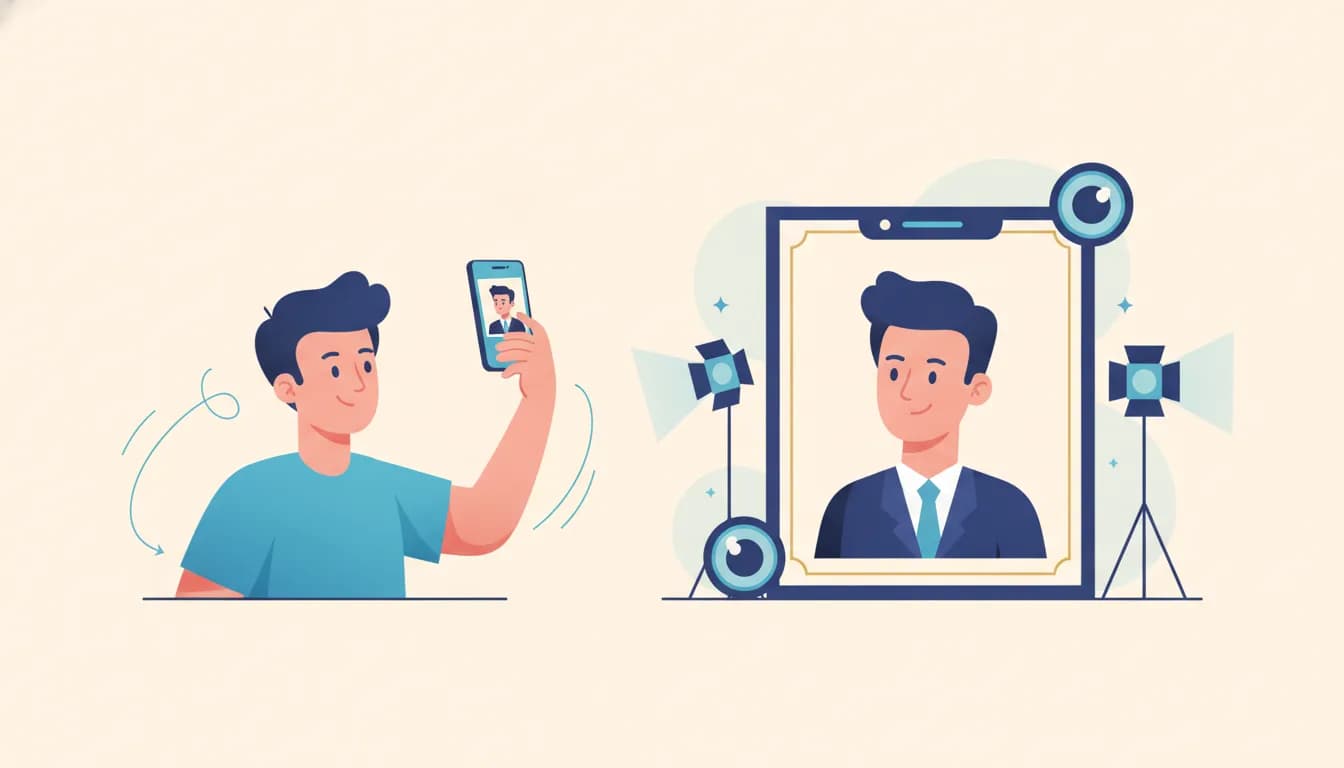
The most common blunder is the selfie. A phone held at arm's length distorts your face, the angle is usually unflattering, and the casual vibe undercuts your professionalism. Recruiters spot a selfie instantly.
Close behind is the cropped group photo, where a stray arm or half a friend's shoulder is still visible at the edge of the circle. It signals you could not be bothered to take a proper photo. Sunglasses and hats are another trust killer, because they hide the very thing that builds connection, your eyes. Heavy filters, dramatic Snapchat style edits, and black and white photos with harsh contrast all pull attention away from you and toward the effect.
Then there are the smaller sins. A blurry, low resolution image. A distracting party background. An expression that is either stone faced or exaggerated. A photo that is clearly five or ten years old and no longer looks like you, which becomes awkward the moment you meet someone in person. Each of these adds a little doubt, and doubt is exactly what you do not want in the first second.
Not everyone can book a studio session, and that is where technology helps. If you want a clean, professional result from an ordinary phone photo, you can turn a plain selfie into a polished professional headshot with Goodspace's AI headshot generator without paying for a photographer or a studio slot. It fixes the lighting, tidies the background, and gives you an image that actually belongs on a professional network.
How the photo affects recruiter behaviour
Think about what a recruiter does with your photo. They see it in search results next to twenty other candidates, in their inbox when you message them, and at the top of your profile when they open it. At every one of those touchpoints, a clean professional photo builds a small amount of trust, and a poor one chips a small amount away.
That compounding matters. A candidate with a sharp, friendly, well lit headshot simply gets more clicks, more replies, and more benefit of the doubt than an equally qualified candidate with a dim selfie. The skills on paper may be identical, but the first impression is not. Your photo is doing quiet work whether you have optimised it or not.
Frequently asked questions
Do I really need a professional photographer? No. A photographer is nice but not required. A phone photo taken in good natural light, framed well, against a clean background, does the job. AI tools can polish an ordinary photo to a professional standard if you cannot arrange a proper shoot.
How often should I update my photo? Refresh it every two to three years, or sooner if your appearance changes noticeably. The photo should look like the person who walks into the interview. A wildly outdated image creates an awkward mismatch.
Should the background have my company logo or a poster? No. Keep it clean and neutral. Logos and posters clutter the frame and distract from your face. Let the photo be about you, not the wall behind you.
Is a smile necessary? A genuine, relaxed expression works best, and a small natural smile helps you look approachable. A forced grin or a completely blank stare both feel off. Aim for how you would look greeting someone you respect.
Final thoughts
Your LinkedIn profile picture is a one second sales pitch that runs every time your name appears. Get the framing, lighting, and background right, use the correct square size at a high resolution, and steer clear of selfies, sunglasses, and cropped group shots. You do not need an expensive studio to look the part, you just need a clear, warm, professional image that makes a recruiter want to keep reading.