What Is an ATS and Why Does It Matter?
An Applicant Tracking System (ATS) is software that companies use to manage job applications. When you apply online, your resume often goes to an ATS first. The system scans it for keywords and ranks how well you match the job.
Here's the problem: if your resume isn't ATS-friendly, it may never reach a human. Studies show that 75% of resumes get rejected by ATS software before anyone reads them. That's three out of every four applications lost.
How the ATS Reads Your Resume
The ATS looks for specific words and phrases from the job posting. It checks if your skills match what they need. It also looks at how your resume is formatted. Tables, graphics, and fancy fonts can confuse the system.
Why 2026 Job Seekers Need to Care
More companies use ATS software now than ever before. Even small businesses with 10 employees often have one. If you want to land interviews, you must learn to work with these systems, not against them.
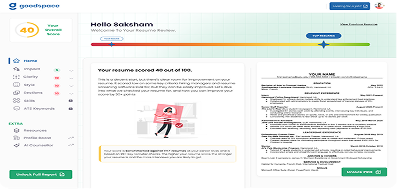
✅ Ready to check your resume? Now that you know what makes a resume ATS-friendly, put it to the test. Upload your resume to the GoodSpace ATS score checker and get a detailed compatibility report with actionable fixes — completely free, no signup required.
Essential Elements of an ATS-Friendly Resume
Let's break down what makes a resume work well with ATS software.
Use Simple, Clean Formatting
Stick to basic fonts like Arial, Calibri, or Times New Roman. Use 11 or 12 point size. Avoid text boxes, columns, headers, and footers. The ATS may skip content in these areas.
Use clear section headings like "Work Experience," "Education," and "Skills." Put each section in order from most important to least.
Include the Right Keywords
Read the job posting carefully. Find the skills and qualifications they mention. Use those exact words in your resume. If they say "project management," don't write "managed projects" instead.
Put keywords in your skills section, job titles, and descriptions. Don't stuff them in randomly. The text should still read naturally to humans.
Match Your Job Titles
Some companies use unique job titles. If your old title was "Client Success Ninja," consider adding the standard title too. Write it as "Client Success Ninja (Account Manager)" so the ATS understands your role.
Step-by-Step Guide to Optimize Your Resume
Follow these steps to make your resume ATS-ready.
Step 1: Start with a Strong Summary
Write 2-3 sentences about who you are and what you offer. Include your top skills and years of experience. This gives the ATS quick info to match you with the job.
Example: "Marketing specialist with 5 years of experience in social media and content creation. Skilled in SEO, Google Analytics, and email campaigns. Helped past employers grow traffic by 150%."
Step 2: List Your Work Experience Clearly
For each job, include the company name, your title, and dates worked. Use bullet points to describe what you did. Start each bullet with an action word like "Led," "Created," or "Managed."
Add numbers when you can. "Increased sales by 25%" is stronger than "Increased sales." Numbers help both the ATS and hiring managers see your impact.
Step 3: Create a Skills Section
Make a list of your hard skills and soft skills. Hard skills are things you learned, like Python or Excel. Soft skills are traits like teamwork or communication.
Put the most relevant skills first. Match them to the job description. Learn how to write a career objective that stands out.
Common ATS Mistakes to Avoid
Don't let these errors cost you the interview.
Using Images or Graphics
Photos, logos, and icons look nice but ATS systems can't read them. Your headshot or design elements will be ignored. Worse, they might break the resume's formatting.
Choosing the Wrong File Type
Most ATS systems work best with .docx or .pdf files. Some older systems struggle with PDFs. When in doubt, submit a Word document unless the posting says otherwise.
Leaving Out Standard Sections
Every resume needs these sections: Contact Info, Summary, Work Experience, Education, and Skills. If you skip one, the ATS may not know where to put your information.
Testing Your Resume Before You Apply
Use Free ATS Checkers
Several websites let you test your resume against a job description. They show your match score and suggest fixes. Try these tools before sending applications.
Apply Through Company Websites
Job boards sometimes strip formatting from resumes. Applying directly on the company's website often works better. You can also follow up on LinkedIn to make sure your application arrived.
Keep Multiple Versions Ready
Don't use one resume for every job. Make a master resume with all your experience. Then create tailored versions for different types of roles. Get 12 expert tips for writing your best resume.
What to Do After Submitting Your Resume
Follow Up Wisely
Wait 5-7 business days before following up. Send a short, polite email or LinkedIn message. Express your interest and ask if they need any additional information.
Keep Applying
Don't wait for one response before applying elsewhere. Job searches are a numbers game. Apply to 10-15 relevant roles per week to maximize your chances.
Update Regularly
Keep your resume fresh. Add new skills, projects, or certifications as you earn them. Pair it with a strong cover letter to boost your odds.

'%3e%3cpath%20opacity='0.2'%20d='M97.8516%2089.6367C94.6139%2089.6367%2091.408%2089.0725%2088.4169%2087.9763C85.4257%2086.8799%2082.7078%2085.2735%2080.4185%2083.2479C78.1292%2081.2223%2076.3132%2078.8179%2075.0742%2076.1713C73.8352%2073.5248%2073.1975%2070.6883%2073.1975%2067.8236C73.1975%2064.9589%2073.8352%2062.1224%2075.0742%2059.4759C76.3132%2056.8298%2078.1292%2054.4249%2080.4185%2052.3993C82.7078%2050.3736%2085.4257%2048.7673%2088.4169%2047.6707C91.408%2046.5746%2094.6139%2046.0106%2097.8516%2046.0106V67.8236V89.6367Z'%20fill='white'%20/%3e%3cpath%20opacity='0.1'%20d='M23.848%2046.0166H73.332V89.799H23.848V46.0166Z'%20fill='white'%20/%3e%3cpath%20opacity='0.07'%20d='M3.17806%2092.0469L30.1215%2067.5373L55.1758%2046.0409H3.17806V92.0469Z'%20fill='white'%20/%3e%3cpath%20opacity='0.07'%20d='M26.3944%2045.9838C12.0868%2045.9838%200.488094%2035.7217%200.488094%2023.0627C0.488094%2010.4037%2012.0868%200.141602%2026.3944%200.141602C40.7021%200.141602%2052.3008%2010.4037%2052.3008%2023.0627C52.3008%2035.7217%2040.7021%2045.9838%2026.3944%2045.9838Z'%20fill='white'%20/%3e%3cpath%20opacity='0.2'%20d='M52.0024%200.0107422L104%200.0107422V46.0171H52.0024V0.0107422Z'%20fill='white'%20/%3e%3cpath%20opacity='0.2'%20d='M98.1289%205.414L74.3538%2027.0413L52.2457%2046.0098H98.1289V5.414Z'%20fill='white'%20/%3e%3c/g%3e%3cdefs%3e%3cclipPath%20id='clip0_2262_11465'%3e%3crect%20width='141'%20height='104'%20fill='white'%20transform='matrix(0%20-1%20-1%200%20104%20141)'%20/%3e%3c/clipPath%3e%3c/defs%3e%3c/svg%3e)
Improve your resume in minutes !
Scan your resume for an ATS score.

Key Takeaways
- ATS systems filter most resumes: 75% never reach a human, so optimization is essential.
- Keep formatting simple: Use basic fonts, avoid graphics, and stick to standard sections.
- Match keywords exactly: Copy important terms from the job posting into your resume.
- Quantify your achievements: Numbers catch the eye of both ATS and hiring managers.
- Tailor each application: One generic resume won't work for different job types.
Frequently Asked Questions
Can I use color on my ATS resume?
Light color accents are usually fine, but keep most text black. Avoid using color for important information since some systems display in black and white only.
Should I include my photo on my resume?
In the US, it's best to leave photos off. ATS systems can't process them, and some employers prefer not to see them to avoid bias.
How many pages should my resume be?
One page works for most job seekers with less than 10 years of experience. Senior professionals can use two pages if needed. Don't go beyond two pages.
What if the company asks for a creative resume?
Some design or creative roles want visual resumes. In that case, make two versions: one creative for humans and one plain for the ATS.
